 Like se
01 / MONITOR
Listens to the stream.
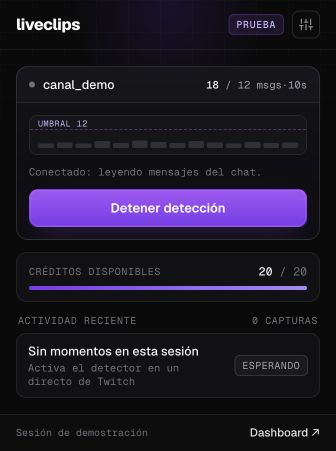
See chat activity in real time and start or stop detection from the popup.
Open your stream on Twitch, YouTube, Kick or TikTok. LiveClips detects when chat blows up, records that moment and hands you a 9:16 vertical with word-by-word captions. Then add a hook, a retention background or your reaction in the Studio.
Install the extension · Chrome, Brave and Edge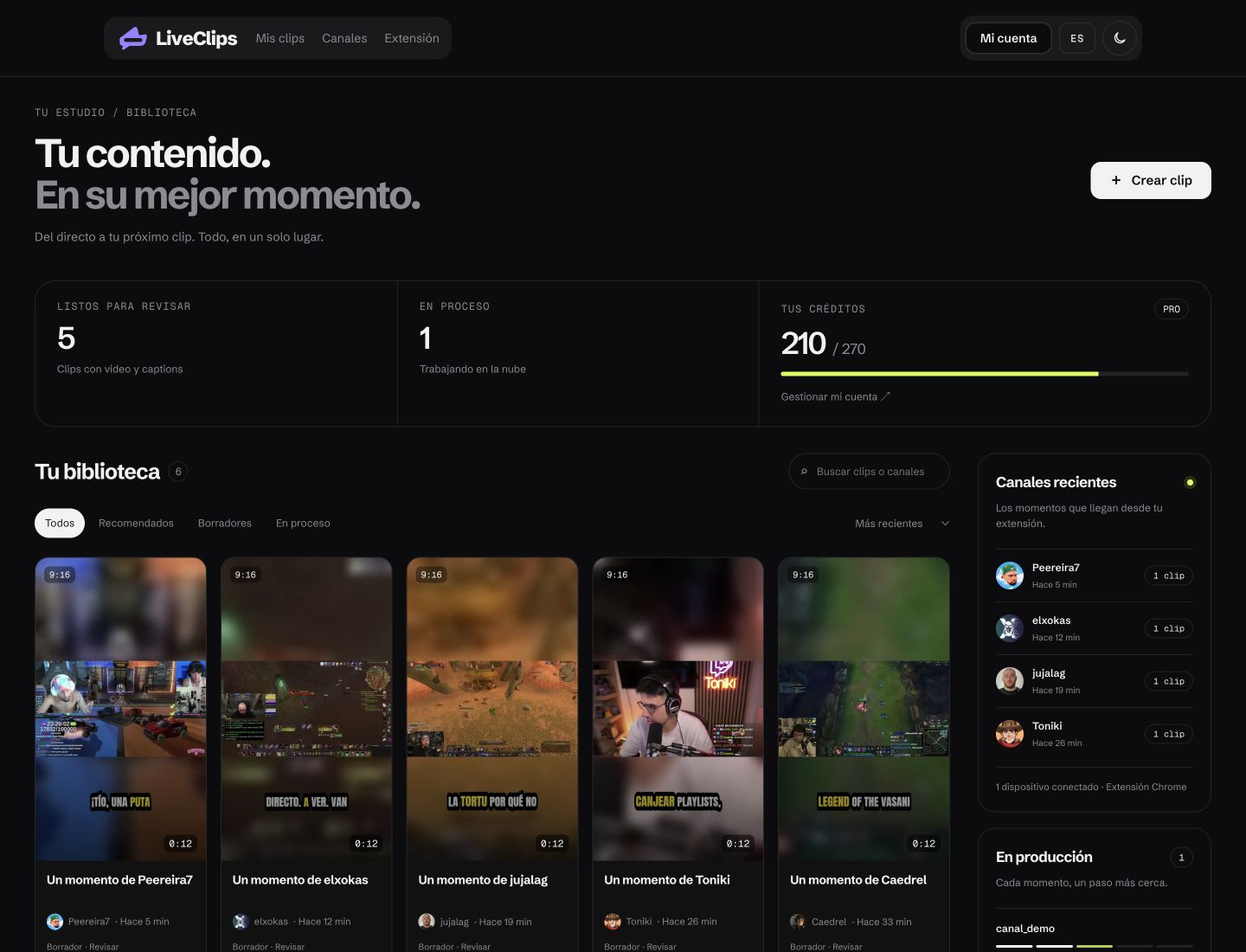
Three tools that hook viewers in the first second and keep them until the last. Free with your account and processed in your browser.
Pick an opener from the library and LiveClips places it right before your clip, with a hard cut to the moment. Whoever was about to scroll stays to see what happened.
Hooks from Viral Hooks, which allows using them as openers for your videos. They stream from their site.
A silent loop that keeps eyes on the screen while your clip tells the story. Pick one from the library or let LiveClips add it automatically to your auto clips.
Stock videos from Pexels, free for commercial use. Each background credits its author.
Load the video, turn on your camera and record your reaction in vertical, ready for TikTok, Reels and Shorts. No editing software or green screens.
The camera only turns on when you ask, and the image never leaves this browser.
The channel you're watching, chat activity and your captures. The info you need, inside your browser.
See chat activity in real time and start or stop detection from the popup.
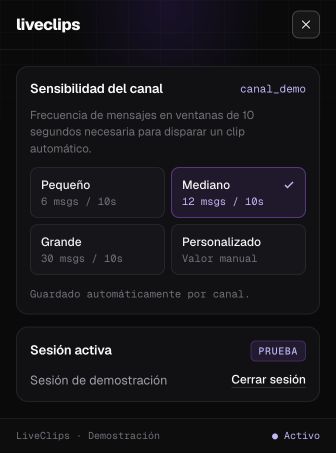
Choose a small, medium, large or custom threshold. Settings are saved per channel.
See detected moments, pending uploads and available credits in one place.
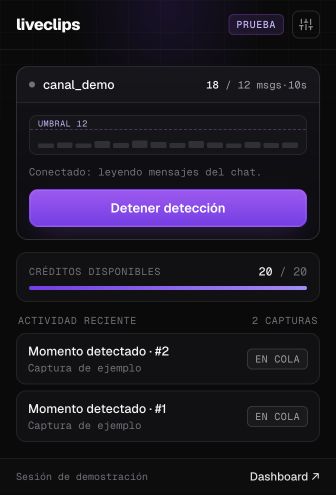
Screenshots of the current interface. The channel, messages and captures shown are illustrative examples.
The extension uploads only the captured moment, never the whole stream. The channel doesn't need to publish VODs, and the clip starts processing while you're still live.
Upload a podcast, recorded stream or tutorial (MP4, MOV, WebM or MKV, up to 4 GB) and AI picks up to 20 vertical clips ranked by score. 1 credit per minute of video.
Every moment is saved. LiveClips processes only the best ones, and the rest wait one click away for 24 hours, using no credits until you ask.
Edit caption words, pick presets and position, split or extend segments, adjust webcam and gameplay, and add an opening title. New versions don't cost extra credits.
Automatic framing with face detection, a two-reactor layout on top with the game below, and mark your camera once so every clip from the channel crops it the same way.
LiveClips also finds the great moments chat didn't get to react to.
On paid plans you decide whether your clips carry the LiveClips mark. On the free trial they do: an animated logo that appears from second 4 and moves around during the clip.
If you run out of monthly credits, top up without changing plans. They don't expire and are used once your plan runs out.
LiveClips is the viral-moment detector that lives inside your streams. On Twitch, YouTube, Kick or TikTok: hear when chat blows up and get a 9:16 vertical ready to post, with word-by-word captions.
Knows when your stream's chat explodes.
Takes only the exact moment, without you downloading hours of video.
Karaoke-style captions with the active word highlighted in yellow.
A 9:16 vertical ready to download and upload to TikTok, Reels and Shorts.
Follows the live channel's chat with no delay and detects when it blows up.
liveSet the sensitivity to the channel's size: small, medium or large.
popupShows the active streamer's official icon and live status.
canalNever captures the same viral moment twice.
filtroThe detected moment is processed in the cloud without using your PC's resources.
cloud
Synced to every word the streamer says.
wordDynamic yellow highlight on the active word with a crisp black outline.
styleAccurate transcription in Spanish, English, Portuguese and French.
idiomaPlaced so they don't clash with the TikTok or Reels interface.
safeThey're inside the video, sharp on any phone.
mp4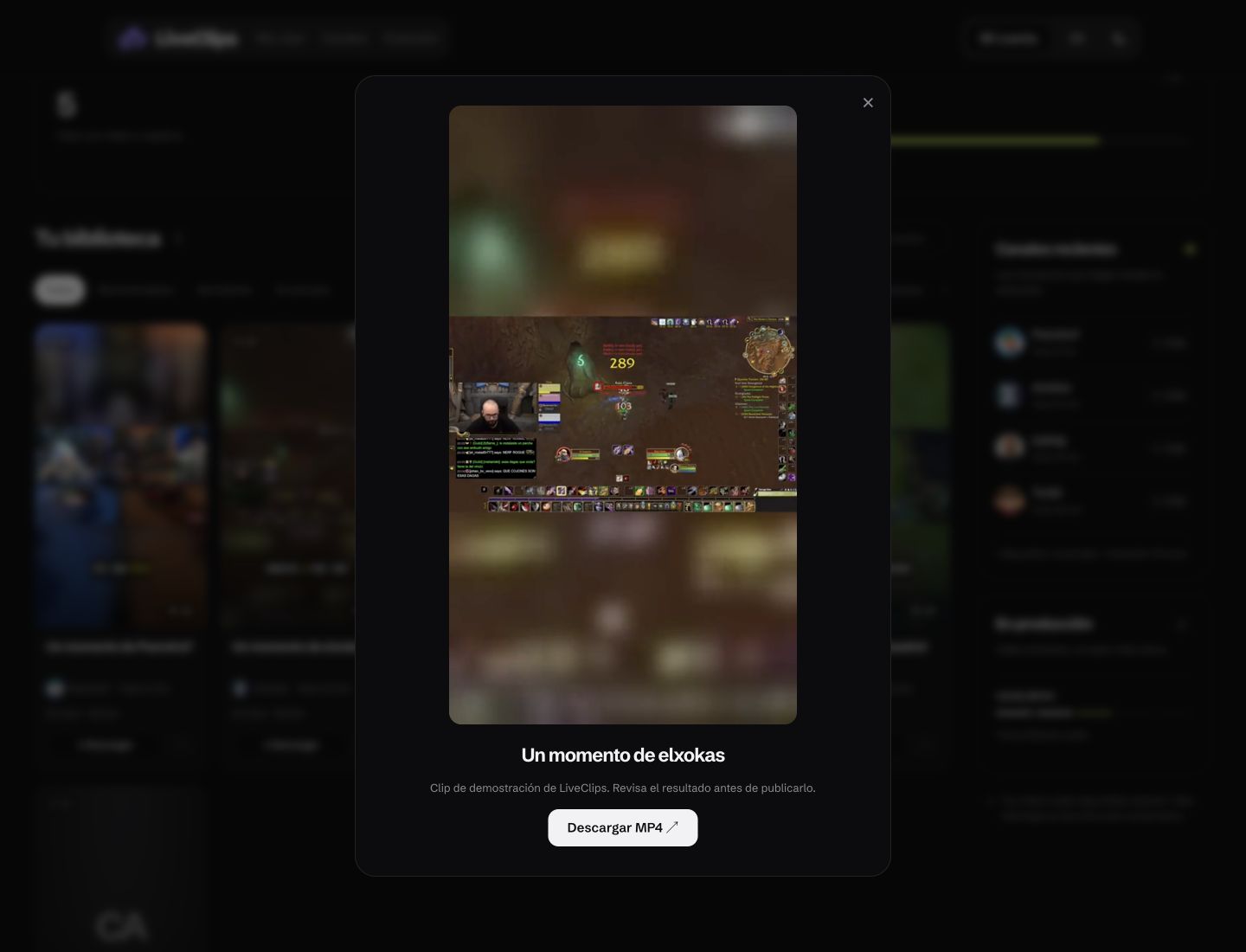
Turns the horizontal stream into a 9:16 vertical without distorting the game.
9:16Fills the vertical frame with a blurred version of the video itself.
blurCenters the action or follows horizontal movement automatically.
framingAutomatically generates a high-quality vertical poster for each clip.
posterOptimized file ready to upload from phone or desktop.
mp4
Keeps the stream's original audio, clean and clear.
audioSkips long silences and shows captions right when the streamer talks.
voiceFinds the laughs and reactions that hook viewers most.
reactionAudio and captions stay perfectly in sync from start to finish.
sync
Paste the `twitch.tv/videos/...` URL of a VOD from your channel and the minute you want in your Web Dashboard.
/dashboardYour web dashboard session never blocks or uses up your extension slots.
sesionesIf a VOD fails or is subscriber-only, you get your credits back instantly.
reembolsoPick Starter ($19 USD/month) or Pro ($39 USD/month) and pay by credit or debit card.
stripe
Sign in to the Chrome extension and open your Twitch, YouTube, Kick or TikTok stream (or one from a creator who authorized you). LiveClips shows the channel icon and starts following the live chat.
Installation guide →When chat blows up (or when you paste a VOD in the dashboard), we take the exact moment and add word-by-word captions.
Your finished clip shows up in your dashboard, ready to post on TikTok, Instagram Reels and YouTube Shorts.
Set how easily a capture triggers for your channel.
“Sensitivity: small channel”
Always see which channel you're monitoring, on Twitch, YouTube, Kick or TikTok.
“Your channel · LIVE”
Convert a past VOD from your channel by entering the URL and the minute.
“twitch.tv/videos/2925888222”
Word-by-word highlight synced to the streamer's voice.
“Yellow captions”
9:16 with a blurred background and no black bars.
“Vertical ready for TikTok”
If the VOD is private or fails, your credits are restored automatically.
“Automatic refund”
The web dashboard doesn't count toward your extension's device limit.
“Manage devices”
Get the final MP4 right in your browser.
“Download 9:16 MP4”
Each clip is kept for 7 days in your account. If a VOD can't be processed, you don't lose credits.
500 monthly credits, up to 3 active Chrome extensions, priority in the processing queue, word-by-word captions and automatic refunds on failures. Cancel anytime.
Only need 150 credits a month and 1 connected extension? Starter costs $19 USD/month (and you get 20 free credits when you sign up).
Choose Starter · $19 USD/month See all plansThe Chrome extension follows the chat of the channel you're watching and detects when the audience reacts strongly. At that instant it saves the moment and sends it to your account to turn into a clip.
If the creator deleted the VOD or made it subscriber-only, we cancel the job and automatically refund 100% of the reserved credits to your balance.
No. We only count active sessions in the Chrome extension (1 on Trial/Starter, 3 on Pro). You can open the web dashboard on all your devices with no limit.
Sí. Desde el Panel de Usuario puedes pegar la URL `https://www.twitch.tv/videos/...` de un VOD de tu canal (o de uno que tengas permiso de usar) e indicar cuántos minutos procesar para obtener el clip vertical 9:16 con subtítulos.
Only if you own it or have the owner's permission. LiveClips is built for creators and their editors to clip their own content. Don't use it to republish other people's streams or videos without authorization: it goes against our Terms and against the platforms' rules. You can report misuse through our Copyright Policy.
Three tools to improve your clips: the hook library for openers, retention backgrounds and reaction mode with your camera. They run in your browser with your own files and don't use credits. The automatic background for new clips is turned on from your dashboard.
It works with all four. The extension detects and captures moments in Twitch, YouTube, Kick and TikTok Live streams. Just keep the stream's tab open: only the captured moment is uploaded, never the whole stream.
Yes. In the dashboard, Create clip → Upload video accepts MP4, MOV, WebM or MKV up to 4 GB. AI suggests up to 20 vertical clips with captions and charges 1 credit per minute of video.
All payments are processed securely by Stripe. You can switch between Starter and Pro or cancel your subscription anytime from your dashboard.